Photography and Editing Tips
The Best File Format in Real Estate Photography
Dec
The real estate photography industry requires a photographer to take the best photos with stunning editing results in order to stand out and attract potential buyers. To have the best photo quality, there are multiple settings and techniques. One of them is file format and management.
Let’s learn the differences between all the file formats and which format is best used for you.
1/ RAW
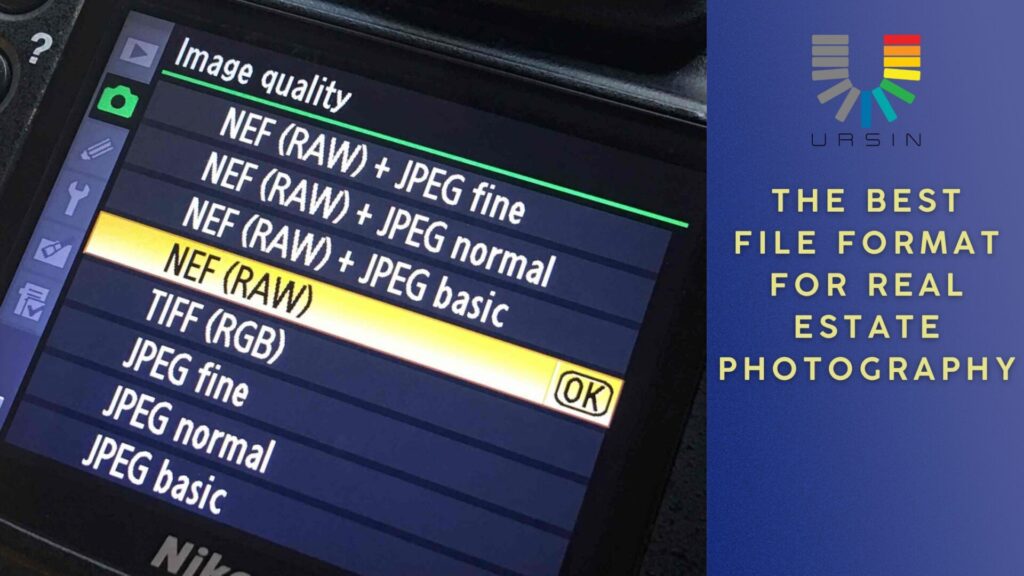
The RAW file format includes.CR2, .NEF, .ARW, … As the name suggested: raw, unprocessed data. It contains the image data exactly like what you captured on the camera. It’s often referred as “digital negative” because the data can be processed and printed in different ways and produce different output.
Processing the RAW image is given some advantages, such as editing flexibility. You can do extensive editing without replacing any original data. Larger data amount higher the quality captured, color, light intensity, … are all in the image data provide a detailed and high-quality image and non-destructive editing.
The downside is that it has a larger file size than any other format, so it’s very memory-consuming.
2/ HEIF
HEIF stands for High Efficiency Image File Format. It’s a 10 bit file format, which means it can contain 4 times more color and tonal information and JPEGs (8 bit).
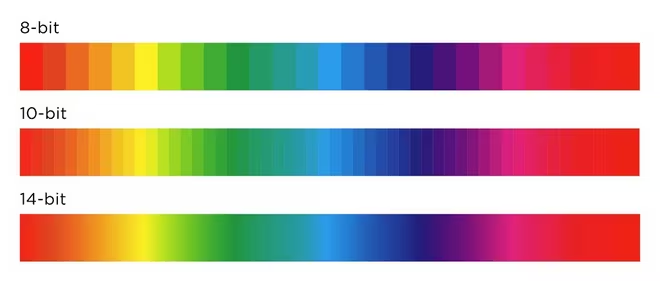
Source: Canon
Despite the fact that it has more color data, HEIF files are about the same size as JPEGs. The compression of HEIF is 50% more effective than JPEG. This makes HEIF a good option for high-res images with low file size.
The downside is that it is hard to notice the differences between good quality JPEG on most of the monitors. It is best to be viewed on an HDR-standard monitor, such as a 4K reference display.
3/ TIFF
A processed, uncompressed image file format. It’s known for maintaining image quality, even with lossless compression. This makes them a popular choice for professional photography, professional printing, and high-resolution scans.
TIFF files support features like layers, transparency, and multiple images in a single file. They can also be saved with either lossless or lossy compression, allowing for flexibility in file size and quality.
This format contains a huge amount of data making it significantly larger than other file formats. Therefore, this format is not likely to be used on websites Instead, it is best used for printing high-quality material.
4/ JPEG
Joint Photographic Experts Group, JPEG are all the same universal standard format, whatever their size and quality. It can be saved at different image sizes and qualities. This would be helpful for your memory management.
However, even when you choose to save at the highest size and quality, it still discards most of the data that has been captured initially. When JPEG is saved, the parameters are not able to be changed anymore. JPEGs are 8-bit files. Therefore, it has less editing room.
So which one is the best?
It depends on your needs with the photo. However, the best and common practice is to shoot and process your image in RAW format for the best quality and export it as JPEGs or another format that does not require a lot of space and is easy to share.
Moreover, you should take a look into the MLS image size required. Each site has its own requirements. Here are some examples:
Suggest dimension
-
Maximum dimensions: 2048 x 1536 px
-
Minimum dimension: 1024 x 768 px
Suggest dimension: 3264 x 2448 px
-
Minimum dimension: 180px (width) x 240px (height).
-
3:4 aspect ratio is suggested
Size limit
25 MB
20 MB
Under 10 MB
File format
JPG, GIF, PNG, or TIF image format.
—
.PNG, or .JPG
You can refer to your preferred site requirement and have the correct exported file size. If you are still confused about what file to use, reach out to us. We are more than happy to help you out.
We have more than 12 years in this industry. Our experts have worked with thousands of clients. We understand what you need and can give you the best advice for your workflow.